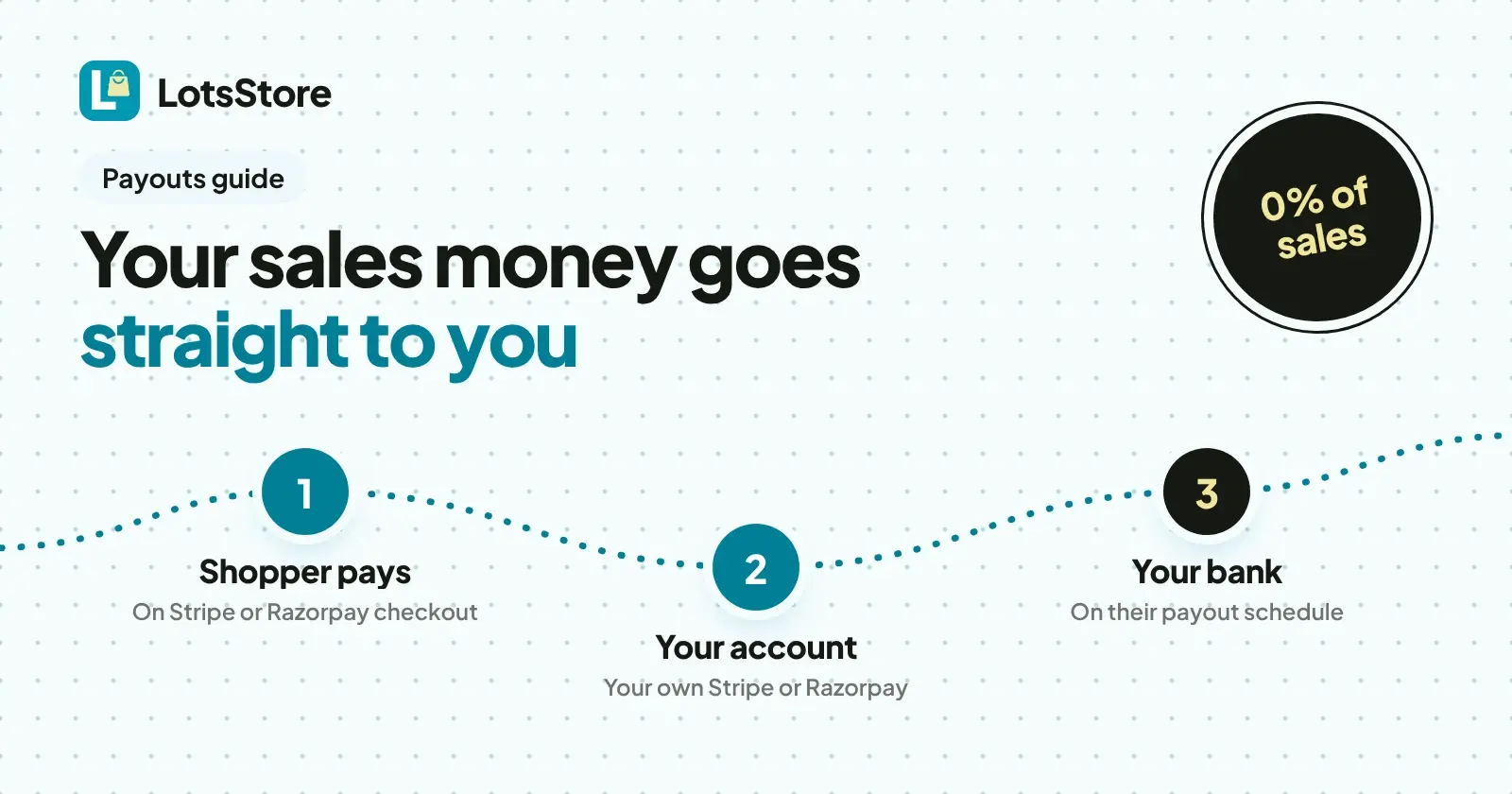
Your sales money goes straight to your own Stripe or Razorpay account, never into a LotsStore balance. I'm the founder of LotsStore and I built it that way on purpose: shoppers pay on Stripe's or Razorpay's own checkout, LotsStore takes 0% of your sales, and your payment provider sends the money to your bank on its own schedule. Here's the whole path, step by step, so you know exactly where your money is at every point.
How the money moves
- A shopper checks out on your store and is sent to Stripe's or Razorpay's own payment page.
- They pay there. LotsStore never sees card numbers or UPI PINs.
- The payment lands in your own Stripe balance or Razorpay account.
- Stripe or Razorpay pays it out to your bank account on its usual schedule.
LotsStore is not in steps 3 or 4. It creates the payment, checks whether it was paid and makes the refunds you approve, using access you gave it. That is the whole job. The Stripe guide says it plainly: "LotsStore never holds your money or your shoppers' money" (connect Stripe). The Razorpay guide says the same (connect Razorpay).
What you connect
| Stripe | Razorpay | |
|---|---|---|
| Who it's for | Businesses in the countries Stripe supports | Businesses registered in India |
| How you connect | One restricted key you create in Stripe and paste once, about five minutes | You sign in on Razorpay's site and approve LotsStore there, no key to copy |
| How shoppers pay | Stripe's checkout page | Card, UPI, netbanking or wallet on Razorpay's checkout |
| Where money lands | Your own Stripe balance, then your bank | Your own Razorpay account, then your bank |
| LotsStore's cut | 0% of your sales | 0% of your sales |
Each provider charges its own processing fee. That fee is between you and them. I walk through the fee and payout differences in Stripe or Razorpay for your online store.
Why this keeps you in control
- The Stripe key is narrow. It has three permissions (Checkout Sessions, Charges and Webhook Endpoints), or four if you use Stripe Tax. It cannot pay out money or change your bank account.
- You can switch it off in seconds. Untick Enabled on the card to stop offering it at checkout. To cut access fully, delete the key in Stripe or remove LotsStore from your connected apps in Razorpay. Orders already paid stay in your account.
- Refunds come from your account. Reject an order before you accept it, or send a full or partial refund after. Refunds go out within 15 minutes, and you can check them in Stripe or Razorpay.
- Your records are yours. Everything sits in your Stripe or Razorpay dashboard, with your own reports and your own tax settings, including optional Stripe Tax.
More on the safety side is in Is LotsStore safe?.
When the money reaches your bank
This part is set by Stripe or Razorpay, not by LotsStore, so I'm quoting their own docs.
Stripe (Checked on 14 November 2026, Stripe payouts docs): "Stripe sends funds from your available balance to your bank account as payouts." After your first live payment, Stripe typically schedules your initial payout within 7 to 14 days, depending on your industry, country of operation and risk level. After that you follow your payout schedule: daily means Stripe "automatically transfers your available funds every business day", and you can pick weekly or monthly days instead. Payouts scheduled on weekends or holidays arrive on the next business day.
Razorpay (Checked on 14 November 2026, Razorpay settlements docs): "We automatically settle captured payments to the bank account submitted and following our settlement cycle." The cycle is subject to bank approval and can vary by business vertical and risk factors, and working days do not include bank holidays. Keep payment capture on automatic, which is Razorpay's default.
Exact timing for your account depends on your country and Stripe or Razorpay's review of your business, so read their pages before you promise anyone a payout date.
If you're in India
Connect your own Razorpay account for card, UPI, netbanking and wallet payments, and the money settles to your own Razorpay account and bank. If you sell in Indian rupees you can also take UPI straight to your own UPI ID: shoppers pay from any UPI app, the money goes to your bank, and you confirm the payment against your bank app. WhatsApp orders work the same way, settled directly with you. For UPI and WhatsApp orders LotsStore can't send money, so you send any refund from your own UPI or bank app and record it on the order. Stores in India also get GST with HSN and SAC codes, covered in the tax guide. The UPI steps are in how to accept UPI payments.
What LotsStore costs
You pay per store, and every feature is on every plan. Products, orders, customers and teammates are unlimited. Prices below were read from lotsstore.app/pricing on 14 November 2026.
| Plan | Monthly | Yearly | Stores |
|---|---|---|---|
| Starter | $12 | $120 | 1 |
| Pro | $29 | $290 | 3 |
| Business | $79 | $790 | 10 |
| Pay as you go | $15 per store a month | Any |
New accounts get free credits, no card needed. If you're comparing where your money goes on other platforms, I put it side by side in LotsStore vs Squarespace and in Etsy alternatives for selling your own products.
FAQ
Does LotsStore hold my money before paying me?
No. Shoppers pay on Stripe's or Razorpay's own checkout page and the money goes to your own Stripe balance or Razorpay account. LotsStore never holds your money or your shoppers' money.
Does LotsStore take a cut of my sales?
No. LotsStore takes 0% of your sales. You pay per store, and your payment provider charges its own processing fee separately.
When will the money reach my bank?
That depends on Stripe or Razorpay, not on LotsStore. Stripe says it typically schedules your first payout within 7 to 14 days after your first live payment, and Razorpay settles on its own settlement cycle. Check each provider's payout page for your country.
Can I stop LotsStore from taking payments?
Yes. Untick Enabled on the payment card in your store to stop offering it at checkout. To cut access completely, delete the LotsStore key in Stripe or remove LotsStore from your connected apps in Razorpay.
I'm in India. Can I be paid by UPI?
Yes. Stores that sell in Indian rupees can take UPI to their own UPI ID, or use their own Razorpay account for card, UPI, netbanking and wallets. Either way the money goes to you, not through LotsStore.
What does it cost to run a store?
Starter is $12 a month or $120 a year for 1 store, Pro is $29 or $290 for 3 stores and Business is $79 or $790 for 10 stores. Pay as you go is $15 per store a month. Check lotsstore.app/pricing for the current prices.
Open an account at lotsstore.app, connect Stripe or Razorpay, and your next sale goes straight to you.