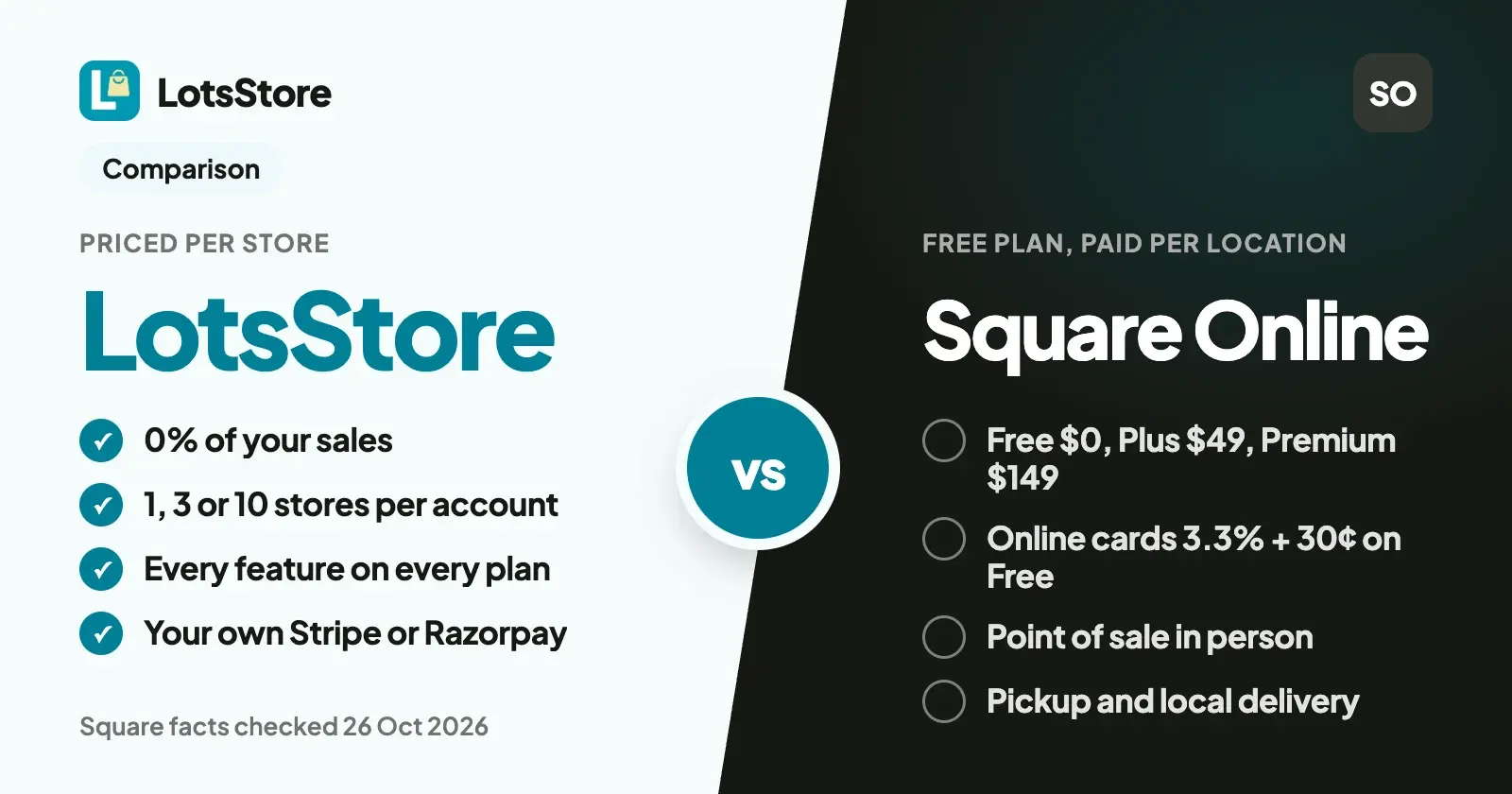
LotsStore and Square Online both put a store on your own domain. LotsStore charges per store, with every feature on every plan, and takes 0% of your sales: shoppers pay into your own Stripe or Razorpay account. Square Online has a Free plan with no monthly fee, and Square's own card processing costs 3.3% + 30¢ online on that plan.
If you also sell at a counter and want one system for online and in-person sales, Square is built for that: LotsStore has no point of sale. If you sell online only, build stores for clients, or run more than one brand, LotsStore is the better fit. Every Square fact below comes from Square's own pages, checked on 26 October 2026. Square now calls Square Online "websites" in its FAQ, and the search term is still Square Online, so I use that name here.
LotsStore vs Square Online at a glance
Checked on 26 October 2026. List prices in US dollars before tax.
| LotsStore | Square Online | |
|---|---|---|
| Plans | Starter $12 a month ($10 billed yearly), Pro $29 ($24.17), Business $79 ($65.83) | Square Free $0, Square Plus $49 a month per location, Square Premium $149 a month per location, Square Pro custom |
| What the plan covers | 1, 3 or 10 stores in one account | Plus and Premium charge their monthly fee per location |
| Features by plan | Every feature on every plan | More on higher plans (expanded site customization on Plus, real-time shipping rates and advanced reporting on Premium) |
| Cut of your sales | 0%, with any payment option | No platform percentage; card processing by Square is the cost |
| Online card payments | Your own provider's fee, set by your own Stripe or Razorpay account | 3.3% + 30¢ on Free, 2.9% + 30¢ on Plus and Premium; international cards add 1.5% |
| Getting paid | Your own Stripe account (in the countries Stripe supports) or Razorpay account (businesses registered in India), plus UPI and WhatsApp orders | Square's card processing, with transfers to your bank the next business day for free |
| Products | Unlimited | Unlimited items listed |
| In-person sales | No point of sale | Square Point of Sale, with online and in-store inventory in sync |
| Your own domain | Every plan, with HTTPS | Connect a domain you own, with free hosting and SSL |
| Free start | 15,000 free credits, valid 90 days, no card | Square Free, no monthly fee; 30-day trial of Plus and Premium |
Where LotsStore is the better choice
Your own Stripe or Razorpay account, and nothing taken from your sales
LotsStore takes 0% of your sales, with every payment option, and never holds your money. Shoppers pay into your own Stripe account (in the countries Stripe supports) or your own Razorpay account (cards, UPI, netbanking and wallets, for businesses registered in India). You can also take UPI to your own UPI ID, or orders on WhatsApp, settled with you directly. Your provider charges its own fee and LotsStore adds nothing.
That means the payment account, the fee schedule, the payouts and the customer's card statement all belong to you, and they stay with you if you ever move to another store platform. On Square, the Free plan costs $0 a month and Square's online card rate is 3.3% + 30¢, dropping to 2.9% + 30¢ on Plus and Premium.
One price per store, and several stores in one account
Square charges Plus and Premium per location, a monthly fee on every location you run. LotsStore prices by store, and every store sits in one account. Starter covers 1 store for $12 a month, Pro 3 stores for $29 and Business 10 stores for $79 (or $790 a year). The stores don't have to share a brand: each keeps its own products, orders, customers, team and payment account.
For an agency running client stores, that is one account, one bill and a role for each client on their own store only. I wrote up how agencies set this up in LotsStore for agencies.
Every feature on every plan
Square adds features as you move up: expanded site customization on Plus, real-time shipping rates, advanced reporting and 24/7 support on Premium.
On LotsStore, plans differ only by how many stores they cover. Every store gets a fast storefront on your own domain, unlimited products with variants, categories and collections, CSV import and export of products and orders, stock per variant with a low-stock view, discount codes, shipping zones and rates, shopper accounts with wishlists and reviews you approve, and analytics with a visit-to-order funnel. Nothing is held back for a bigger plan.
A team from the first plan
On LotsStore, every plan has unlimited teammates, each with one of five roles: owner, admin, manager, staff or viewer. A brand can let a packer see orders without touching payments, which only owners and admins can change.
You accept each order, and WhatsApp orders are built in
On LotsStore, you accept each order before it goes ahead, then fulfil, ship with any carrier (with a tracking number and link) and refund from the dashboard. Rejecting an order paid online queues its refund. If your customers like to order by chat, WhatsApp orders open a message to you with the order number, items, total and a link to the order. I wrote about it in how to sell on Instagram and WhatsApp without losing orders in DMs.
Nothing deleted if a payment lapses
If a LotsStore store isn't funded, nothing is deleted. The storefront stays readable, new orders pause and the dashboard turns read-only until it's funded again. Orders already placed can still be fulfilled and refunded.
What Square Online offers
Square is the natural choice when your business is not only online.
- In-person selling. Square Point of Sale, card readers and Tap to Pay take payments at a counter or a market, and your online store shares inventory and customers with it. LotsStore has no point of sale.
- A free plan. Square Free has no monthly subscription; you pay processing fees when you take a payment. Plus and Premium each have a free 30-day trial.
- Pickup and local delivery. Square lists in-store and curbside pickup, local delivery with your own staff or couriers, and ordering windows.
- Shipping rates. Real-time shipping rates are on Premium.
- One account for the rest of the business. Square also lists banking, payroll, loans and invoicing around its payments.
Which one should you choose?
- Choose LotsStore if you sell online only, build stores for clients, run more than one brand, want one simple price per store with every feature included, or want to keep your own Stripe or Razorpay account (or take UPI and WhatsApp orders) with 0% of your sales going to the platform.
- Choose Square Online if you take payments in person too and want one system for the counter and the website, or if you want a free plan to start and are happy with Square processing your cards.
LotsStore plans are on the pricing page, and every option is explained in LotsStore pricing explained. New accounts get 15,000 free credits, valid 90 days, no card: about a month of one store. Pro and Business also include LotsNotes Pro while active. For the full monthly bill on a few platforms, see how much it costs to run an online store each month, and for the wider field, SaaS ecommerce platforms compared and Shopify alternatives with no transaction fees.
How to move from Square Online to LotsStore
- Create your store. Sign up, create a store on a free yourstore.mylots.store address and add your logo, colours, pages and policies. The store's country sets its currency, and it can't be changed later.
- Export your items from Square. In the Square Dashboard, go to Items, then Item library, click Actions, then Export Library. Square's own export is an Excel file, so save it as CSV.
- Import them into LotsStore. Copy the columns into the LotsStore CSV template and import it, or add products one by one with their variants, prices, stock and images.
- Connect how you get paid. Connect your own Stripe account (guide) or Razorpay account (guide), or turn on UPI and WhatsApp orders.
- Set shipping and test. Add your shipping zones and rates, place a test order and refund it.
- Point your domain. Add your own domain, then the one CNAME record LotsStore gives you at your DNS provider. HTTPS is set up for you. Keep the Square site open until the new one is live. If you also sell in person, Square keeps handling the counter.
You can also do the setup from ChatGPT or Claude. LotsStore works with the AI agent you already use: connect it on the setup page, sign in, and ask in plain words. For example:
Create a store called Juniper & Clay. Add the products in this Square export as drafts, with their sizes, colours, prices and stock. Set a flat shipping rate for domestic orders, then list anything that's missing a photo or a price before I publish.
Every change shows up in your dashboard, where you review it and publish.
FAQ
Is LotsStore a Square Online alternative?
Yes, for selling online. LotsStore gives you an online store on your own domain with products, stock, orders, discounts, shipping zones and a team. You pay per store, every feature is on every plan, and LotsStore takes 0% of your sales, with payments going to your own Stripe or Razorpay account. It has no point of sale, so it doesn't replace Square at a counter.
Is Square Online free?
Square Free has no monthly subscription. You pay processing fees when you take a payment: 3.3% + 30¢ for online cards on the Free plan, and 2.9% + 30¢ on Plus ($49 a month per location) and Premium ($149 a month per location), checked on 26 October 2026. LotsStore starts at $12 a month for 1 store ($10 billed yearly), and takes 0% of your sales.
Does LotsStore take a cut of my sales?
No. LotsStore takes 0% of your sales. Your own payment provider, Stripe or Razorpay, charges its own processing fee, and LotsStore never holds the money.
Can LotsStore take in-person payments?
No. LotsStore has no point of sale. If you sell at a counter or a market, keep Square or another point-of-sale system for that, and use LotsStore for the online store.
Can I run several stores on one LotsStore plan?
Yes. Pro covers 3 stores and Business 10 stores, all in one account, and they don't have to share a brand. Each store keeps its own products, orders, customers, team and payment account. Square charges its Plus and Premium monthly fees per location.
Can I move my products from Square to LotsStore?
Yes. Export your item library from the Square Dashboard, then import the products into LotsStore from a CSV file, or ask your AI agent to add them as drafts. You review everything in the dashboard before you publish.
Sources
Checked on 26 October 2026: LotsStore pricing, Connect Stripe, Connect Razorpay, Square Online plans, Square: build a free online store, Square processing fees, Square Support: processing fees by plan, Square Support: bulk import and export items.