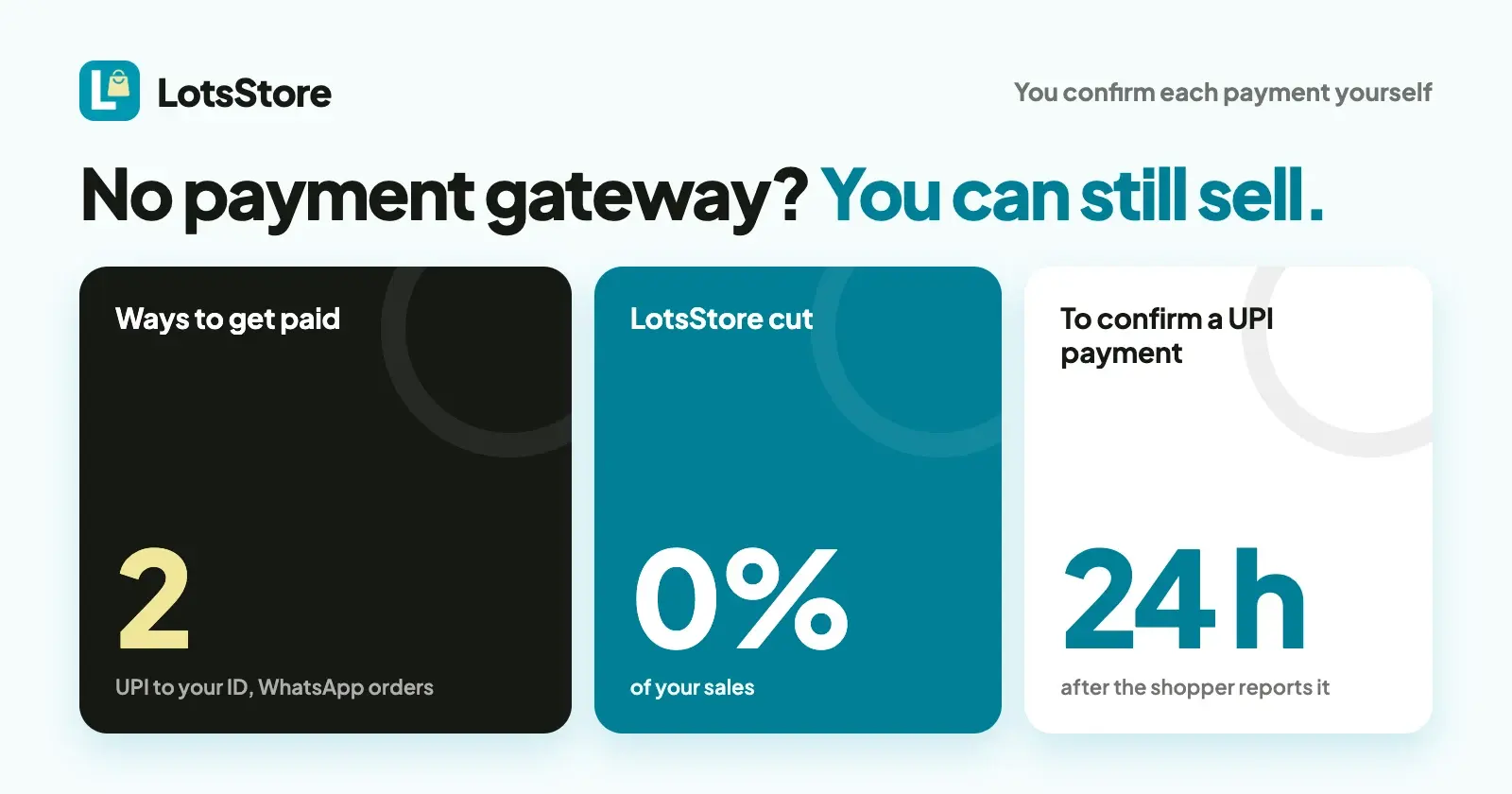
Yes. On LotsStore you can take orders with no payment gateway at all, in two ways: shoppers pay your own UPI ID and you confirm it in your bank app, or they place the order on your store and finish payment with you in WhatsApp. The money never passes through us or a provider, and LotsStore takes 0% of your sales. What you give up is automatic confirmation: you check each payment yourself.
A payment gateway is the provider (Razorpay or Stripe, for example) that takes the card or UPI payment and tells your store it was paid. Without one, you are the gateway: you look at your own bank, then press a button. That is fine for a small shop with a handful of orders a day and a poor fit once orders arrive while you sleep. Below is exactly how each route works, what it costs, and when to add a gateway. Vendor facts were checked on 31 October 2026.
The three ways to get paid, side by side
| UPI to your own UPI ID | Order on WhatsApp | A gateway (Razorpay or Stripe) | |
|---|---|---|---|
| Who confirms the payment | You, in your bank or UPI app | You, in the chat | The provider, automatically |
| What the shopper does | Pays from their UPI app, then enters the transaction reference | Places the order on your store, then sends you the prepared WhatsApp message | Pays on the provider's checkout |
| Account you need | A UPI ID and the name on it | A WhatsApp number | A provider account (Razorpay for businesses registered in India, Stripe where Stripe is supported) |
| Shopper can pay by | UPI, in rupees | Whatever you agree with them | Cards, wallets and more, depending on the provider |
| Refunds | You send the money back yourself and record it on the order | You send the money back yourself and record it on the order | Rejecting an order paid online queues the refund |
| LotsStore's cut | 0% | 0% | 0% (the provider charges its own fee) |
You can switch on more than one. The shopper picks a method at checkout.
Route 1: UPI to your own UPI ID
Shoppers pay inside their own UPI app, so no card details or UPI PIN ever reach your store.
What the shopper sees. They choose Pay by UPI QR at checkout. The order page shows the exact amount, your UPI ID, the order number, a QR code and an Open your UPI app button. After paying they enter the UPI transaction reference and tap I have paid.
What you do. Open the order. The shopper's reference is shown on it. Match the reference and amount in your bank or UPI app, then press Confirm payment received and Accept order. If you can't find it, press Payment not found and the order doesn't go ahead. A reference that is already confirmed on another order is refused.
The clocks. You set a payment window from 5 minutes to 24 hours (30 minutes by default): the time a shopper has to pay. If they don't, the order expires and its stock goes back on sale. Once a shopper reports paying, you have 24 hours from then to check and accept. A shopper can report a payment once per order.
Set it up. In your store, open Payments, tick Take UPI payments, and enter your UPI ID and the Payee name shoppers will see in their UPI app. The full walk-through is in How to Accept UPI Payments on Your Online Store.
UPI pays in rupees, so this route is for stores that sell in Indian rupees.
Route 2: Order on WhatsApp
This one is for shops whose customers already talk to them on WhatsApp.
What the shopper sees. They fill their cart and check out on your store with Order on WhatsApp. LotsStore saves the order first, so it has a number, items and a total. Then the shopper taps Open WhatsApp, and a message to you is already written: the order number, each item, the total and a link to the order's status page. They can also open View order status.
What you do. You agree payment in the chat, by whatever means you and the customer use. In the dashboard, open the order, press Record offline payment to mark it paid, and press Accept order. WhatsApp orders are always accepted by you one by one, never automatically. The shopper gets an email at each step with a link to their order page.
The clock. An unaccepted WhatsApp order stays open for 12 hours by default. You can set the order expiry from 30 minutes up to 7 days.
Set it up. On Payments, tick Enabled under Order on WhatsApp, enter your WhatsApp number with the country code and no plus sign (for example 919876543210), and add Customer instructions if you want to tell shoppers anything.
Because the order exists before the chat starts, nothing is lost in a scrolled-away message, and the stock is held for that order while it is open. For the wider setup around Instagram and WhatsApp, read How to Sell on Instagram and WhatsApp Without Losing Orders in DMs.
Two things people mix up
- WhatsApp orders are a payment option your shoppers use.
- WhatsApp alerts are messages to you. Under your store's Settings, add your own number, confirm it with a code, and you get a WhatsApp message when a customer places an order or reports a UPI payment. They are for you, not your customers.
Also worth knowing: Test mode on the Payments page only changes Razorpay and Stripe. UPI and WhatsApp orders are real from your first day, so test them with a small order of your own.
What you give up without a gateway
- Automatic confirmation. Every UPI payment waits for you to check it, and every WhatsApp order waits for you to agree payment. An order placed at night waits until you look (you have 24 hours after a UPI payment is reported).
- Card payments. Shoppers who want to pay by card need a gateway.
- One-click refunds. You send the money back from your own bank or UPI app and record it on the order.
- A promise that provider fees stay at zero. With UPI to your own ID there is no payment provider and so no provider fee. NPCI said on 13 October 2026 that a merchant discount rate (MDR) on select person-to-merchant UPI transactions will start immediately after Diwali, on a date to be notified separately, so read NPCI's notice for which payments it covers.
When to add a gateway
Add one when you get more orders than you can check by hand, when customers abroad want to pay by card, or when you'd like refunds from the order page. With Razorpay you sign in on Razorpay's site and approve LotsStore, with no key to copy (How to Connect Razorpay to Your Online Store). With Stripe you create one restricted key (connect Stripe). The gateway's own fee applies, and the money goes to your own provider account. Keep UPI or WhatsApp on beside it if you like.
How other store platforms handle manual payments
You don't need LotsStore to go gateway-free, but the rules differ by platform.
- Shopify lets a store offer manual payment methods such as cash on delivery, money orders and bank transfers, plus custom methods. Orders are marked unpaid until you mark them paid on the order page, and Shopify's help page says you can't accept manual payments in the United States while Shopify manages US sales tax (you first set it to self-directed). It also notes that accepting manual payments in several currencies needs Shopify Payments and its international sales tools. (Shopify Help Center, checked on 31 October 2026.)
- WooCommerce has a direct bank transfer method: the customer pays through their bank, the order is set to On hold, and you confirm the deposit before moving it to Processing or Completed. (WooCommerce documentation, checked on 31 October 2026.)
Both work the same way in spirit: you confirm the money, then release the order.
What it costs
LotsStore is priced per store, never per sale. Starter is $12 a month for 1 store, or $10 a month billed yearly ($120 a year). Every feature is on every plan, including UPI and WhatsApp orders. New accounts get free credits when they sign up, no card, enough to run one store for about a month. See the pricing page and LotsStore pricing explained. Prices checked on 31 October 2026.
If you build stores for clients
Each client store has its own payment methods, so a client without a gateway account can open with UPI or WhatsApp orders and add Razorpay or Stripe later, in their own account, without moving the store. Each store pays its owner directly. See LotsStore for agencies.
Manage it from ChatGPT or Claude, if you like
Everything above works in the dashboard. If you also use ChatGPT or Claude, connect it to LotsStore and ask it to list the orders waiting for you or to show a shopper's UPI reference. Payment actions need the Money permission, which is off unless you turn it on when you approve the connection, and the agent should confirm a UPI payment only after you tell it you saw the money in your own bank or UPI app.
FAQ
Can I run an online store without a payment gateway?
Yes. On LotsStore, shoppers can pay your own UPI ID or place an order on WhatsApp and settle with you directly. You confirm each payment yourself, and LotsStore takes 0% of your sales.
How do I know a UPI payment has arrived?
The shopper enters their UPI transaction reference and taps I have paid. You match that reference and the amount in your own bank or UPI app, then press Confirm payment received. If it isn't there, press Payment not found.
How long do I have to confirm a UPI payment?
24 hours from the moment the shopper reports paying. The payment window you set, from 5 minutes to 24 hours, is only the time the shopper has to pay.
How do WhatsApp orders work?
The shopper places the order on your store, so it has a number and a total, then opens a prepared WhatsApp message to you. You agree payment in the chat, record it on the order and accept the order. An unaccepted order expires after 12 hours by default.
Can I take card payments without a gateway?
No. Card payments need a provider such as Stripe or Razorpay. You can turn one on later and keep UPI or WhatsApp orders available beside it.
Can I use UPI and WhatsApp orders outside India?
UPI pays in rupees, so it suits stores that sell in Indian rupees. Order on WhatsApp needs only a WhatsApp number with the country code.
Sources
Checked on 31 October 2026: LotsStore pricing, LotsStore API docs, LotsStore skill, pricing-facts for Lots Store, Shopify: manual payments, WooCommerce: direct bank transfer, NPCI press release, 13 October 2026.